
Channels
This channel is private or has been deleted. Its details are hidden. You can unsubscribe.
Connecting…
Only on this device
…
Playlist
Music for restaurants and spaces
One playlist for the whole space
Upload music and open the same channel on a device in each zone. Connect your existing speakers: Play synchronizes the music over the internet, without audio cables between zones.
How it works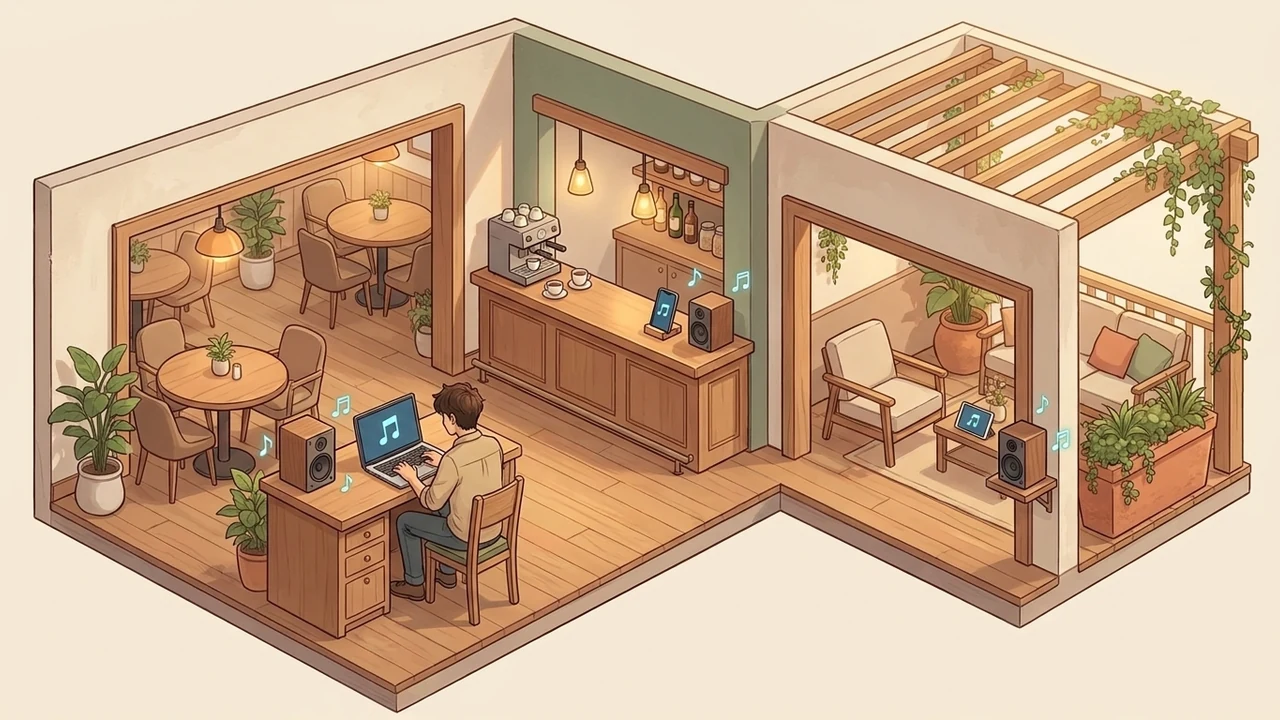
Add your music
Connect each zone
Set the volume in each zone
Music where people gather
Restaurants and cafés
Open the same channel in the dining room, at the bar and on the terrace. The owner controls the shared playlist, while each zone’s volume can suit its conversations and surroundings.
Studios and showrooms
Use the speakers you already have in your work and display areas. Connect each pair to a local device with a browser and open the shared channel.
Coworking and event spaces
Share music across the common area, reception and event room. Add a zone with another internet-connected device, a browser and speakers.
Before playing across your space
What does each zone need?
A phone, tablet or computer with a browser, internet access and connected speakers. No audio cables run between zones; speakers connect to the device in their own zone.
Who controls the playlist and volume?
The channel owner chooses tracks, changes the shared queue and pauses playback for everyone. Each zone can turn on its sound and set its own volume.
How do I keep access within my team?
After choosing files, use the primary Stream privately button. A regular link or QR code opens an access request; a one-time invitation grants access directly. A public channel is created only when you choose Stream publicly.
How do I start with my own music?
Choose your own audio files from your device. Channel creation and uploading start only when you press a stream button; you can begin without registration. Spotify and YouTube links cannot be imported.
Does every zone need internet access?
Yes, every device needs internet access. Keep the channel open in its browser and turn on sound on each device. Check the connection and volume in every zone before starting: a weak connection can interrupt the music.
Only upload content you have permission to share.